
Gamify Loyalty Widget SDK
Overview
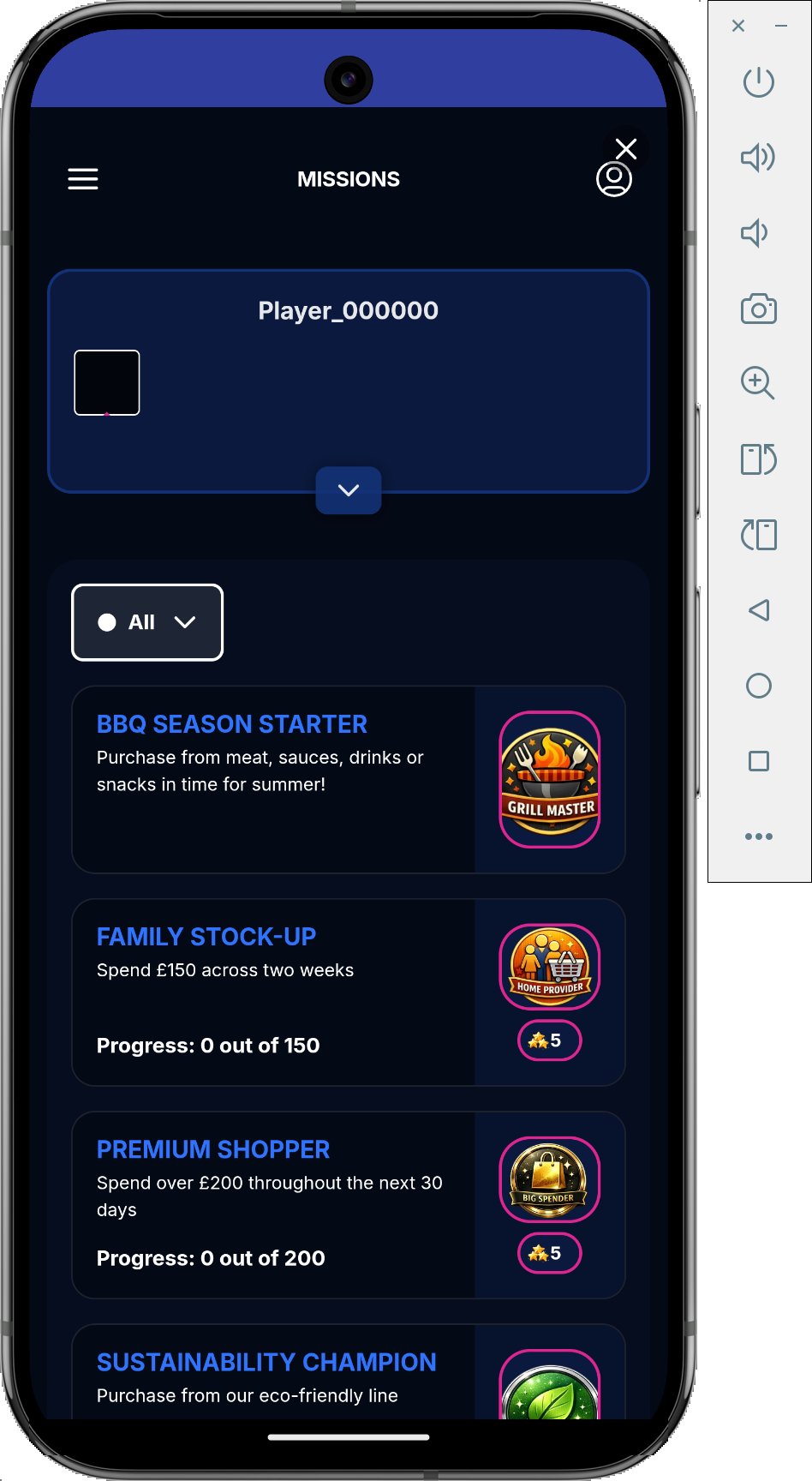
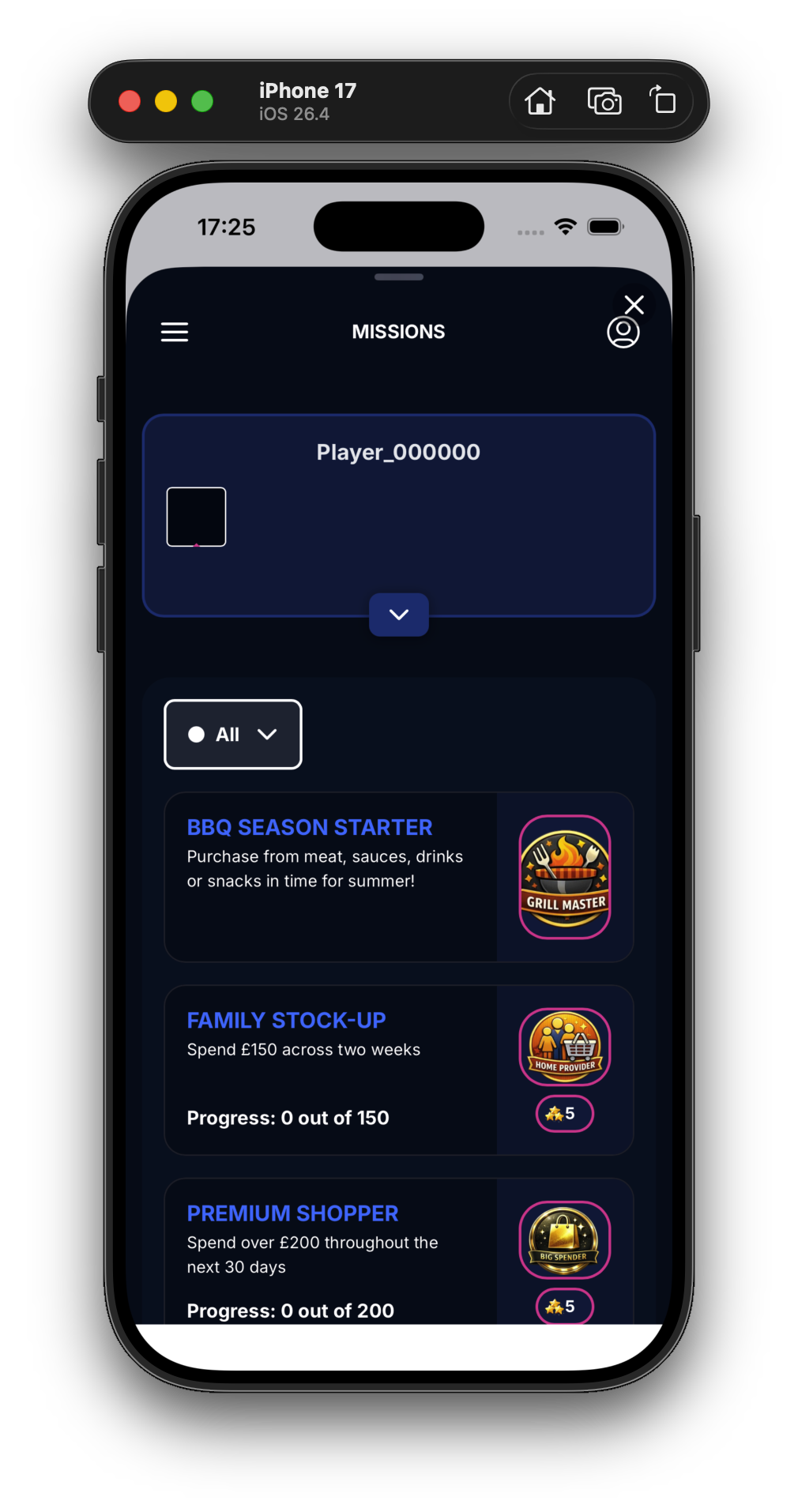
The Gamify Widget SDK lets your app embed the Gamify loyalty widget so your end users can view their missions and prizes—opened from a single entry point in your app, such as a "Rewards" button.
It is a self-contained module available across all four Optimove SDKs: Android, iOS, React Native, and Web. You initialize it with a widget URL provided by Optimove, then make one open call from wherever you want the widget to appear:
- Mobile (Android, iOS, React Native) renders the widget in a native modal surface backed by a
WebView. - Web renders the widget as a full-screen iframe overlay, or embedded inside a host element you name.
The SDK is self-contained: it does not require the core Optimove SDK to be initialized or configured first.
Before You Begin
Supported SDK Versions
The Gamify Widget SDK is available from these minimum versions:
| Platform | Minimum version | Notes |
|---|---|---|
| Android | optimove-android 7.14.0+ | GamifyWidgetSDK ships inside the optimove-android artifact—no separate dependency. |
| iOS | OptimoveSDK 6.7.0+ | GamifyWidgetSDK is part of OptimoveSDK. |
| React Native | @optimove-inc/react-native 3.2.0+ | First release with gamifyWidgetOpen. |
| Web | Web SDK 1.0.0.38+ | First release with the Gamify Widget SDK module. |
Your Widget URL
Optimove provides your widget URL. Treat it as a given input—you do not construct it yourself. It has the shape:
https://opti-ls-widget-<region>.optimove.net/<tenantId>/<customerId><region> is always lowercase: us or eu. There is no uppercase variant. For example:
https://opti-ls-widget-eu.optimove.net/593/14b3aebb-7e8c-4042-9c53-000000000122
https://opti-ls-widget-us.optimove.net/1199/14b3aebb-7e8c-4042-9c53-000000000000
Pass this full URL to initialize (Android, iOS) or directly to the open call (React Native, Web).
The Gamify Widget SDK currently has no prerequisites. The only ordering requirement is that, on Android and iOS, you call
initialize(widgetUrl)beforeopen(...). This is expected to change when authentication is introduced in a future version, which may add prerequisites and/or ordering requirements.
The userId Parameter
userId is optional on every platform, and the widget works without it.
The userId you pass to the open call is your raw Optimove Customer ID—the same identifier you already use elsewhere. Internally the Gamify system also calls this value the player id, and the widget/public API refers to it as playerId. These are three names for one and the same string:
userId(SDK open call) =playerId(widget / public API) = your raw Optimove Customer ID
It is passed through verbatim—no encoding, no transformation anywhere.
The player profile response also returns an internal UUID field
id, marked "distinct fromplayerId." That is Gamify's internal row key—never what you pass to the widget. Theidyou pass toopenis always the raw Customer ID.
Integrate on Android
Requires optimove-android 7.14.0+. GamifyWidgetSDK is bundled inside the optimove-android artifact, so there is no separate dependency to add.
import com.optimove.android.gamifywidgetsdk.GamifyWidgetSDK

// Initialize once with the Optimove-provided widget URL with customer id
GamifyWidgetSDK.initialize("https://opti-ls-widget-<region>.optimove.net/<tenantId><customerId>")

// Open the widget. userId is optional.
GamifyWidgetSDK.getInstance().open(activity, "u-123")
Calling getInstance() before initialize(...) throws IllegalStateException("GamifyWidgetSDK is not initialized").
Integrate on iOS
Requires OptimoveSDK 6.7.0+. GamifyWidgetSDK is part of OptimoveSDK.
import OptimoveSDK

// Initialize once with the Optimove-provided widget URL with customer id
GamifyWidgetSDK.initialize(widgetUrl: "https://opti-ls-widget-<region>.optimove.net/<tenantId>/<customerId>")

// Open the widget. userId is optional.
GamifyWidgetSDK.open(from: self, userId: "u-123")
If open is called with an empty or invalid widgetUrl, it logs an error (GamifyWidgetSDK.open called with an invalid widgetUrl.) and returns without presenting. It does not crash.
Integrate on React Native
Requires @optimove-inc/react-native 3.2.0+. There is no separate class—gamifyWidgetOpen is a static method on the default-imported Optimove. You pass the widget URL directly to the open call.
import Optimove from '@optimove-inc/react-native';

// Open the widget. userId is optional.
Optimove.gamifyWidgetOpen("https://opti-ls-widget-<region>.optimove.net/<tenantId>/customerId>", userId);
Integrate on Web
Requires Web SDK 1.0.0.38+. There is no import—the module is loaded at runtime and accessed via optimoveSDK.API.gamify on the global object. You pass the widget URL directly to the open call.
The Web signature differs from mobile: the second argument is an optional elementId. Omit it for a fullscreen overlay, or pass an element id to embed the widget inside that element.
Fullscreen Overlay
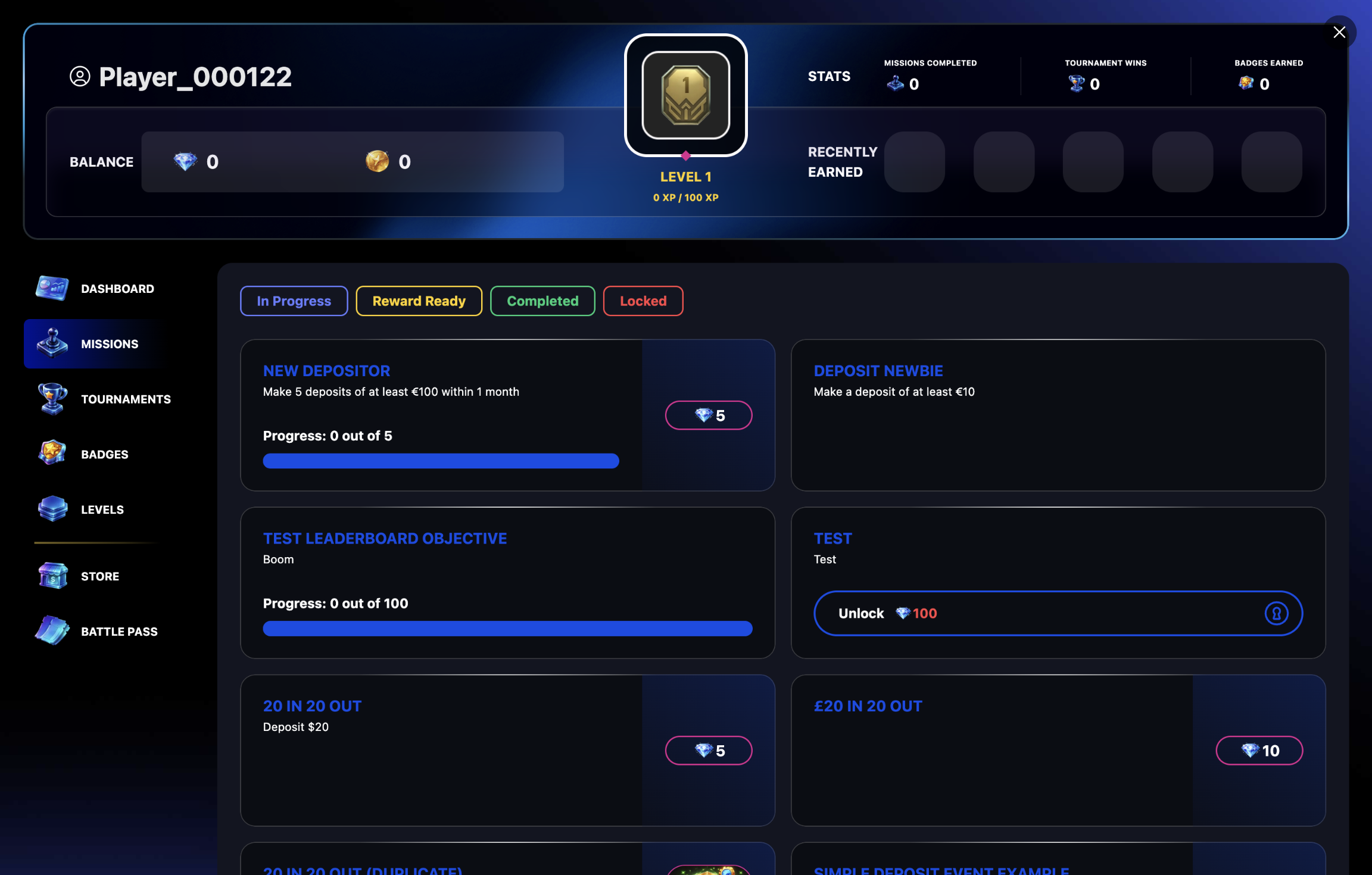
Omit elementId (pass undefined) to render the widget as a fullscreen iframe overlay:
optimoveSDK.API.gamify.openWidget(widgetUrl, undefined);widgetUrl is your Optimove-provided URL with customer id, e.g. https://opti-ls-widget-<region>.optimove.net/<tenantId>/<customerId>.
Embedded in a Host Element
Pass the id of an existing element to render the widget inside it:
optimoveSDK.API.gamify.openWidget(widgetUrl, "my-container-div");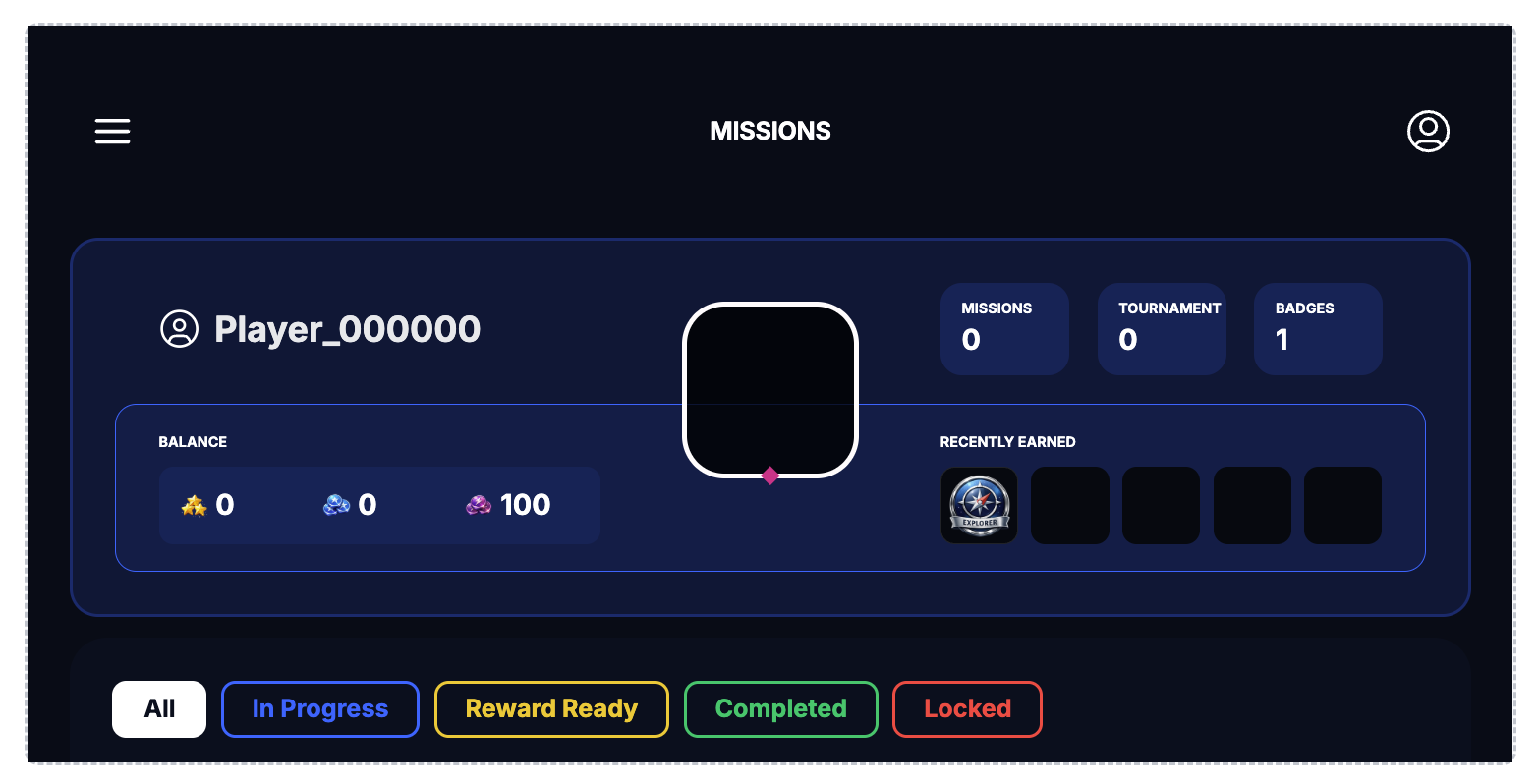
Closing the Widget
Web is the only platform with a programmatic close. It is also wired to the overlay's ✕ button and to the widget's internal CLOSE message.
optimoveSDK.API.gamify.closeWidget();Web Constraints and Edge Cases
The Web widget is HTTPS-only. If the page is not served over
https:,openWidgetsilently returns and does nothing.
- Missing host element — if the
elementIdyou pass does not match an existing element,openWidgetsilently returns and does nothing. Make sure the element is in the DOM before you call. - Already open — if a widget is already open, a second
openWidgetcall is ignored.
What to Expect When the Widget Opens
On mobile (Android, iOS, React Native), the widget opens in a native modal surface backed by a WebView. There is no SDK-callable close on mobile—the widget is dismissed by the user (swipe-down on the iOS sheet, or the modal's own ✕), or when the widget itself signals completion and tears down the surface.
On web, the widget opens as a fullscreen overlay (dismissed via closeWidget(), the overlay ✕, or the widget's internal close), or rendered inside the host element you named.
On every platform, the open and close calls return void. There are no public success or error callbacks or events exposed to your app—nothing for you to subscribe to. The widget manages its own lifecycle internally.
Quick Reference
| Platform | Min version | Entry point | Programmatic close |
|---|---|---|---|
| Android | optimove-android 7.14.0+ | GamifyWidgetSDK.initialize(url) → GamifyWidgetSDK.getInstance().open(activity, userId?) | No (user-dismissed) |
| iOS | OptimoveSDK 6.7.0+ | GamifyWidgetSDK.initialize(widgetUrl:) → GamifyWidgetSDK.open(from:userId:) | No (user-dismissed) |
| React Native | @optimove-inc/react-native 3.2.0+ | Optimove.gamifyWidgetOpen(widgetUrl, userId?) | No (user-dismissed) |
| Web | Web SDK 1.0.0.38+ | optimoveSDK.API.gamify.openWidget(widgetUrl, elementId?, userId?) | Yes — closeWidget() |
Updated 3 months ago