
Data QA
Clean data from day one means accurate segments, reliable predictions and campaigns you can trust from launch. Data QA confirms your data is ready before it's loaded, and the checklist on this page helps you get it right the first time.
Problems caught now are quick to fix, while problems found after launch take much longer to unwind. The more of this checklist you cover before your first delivery, the faster you'll get through QA.
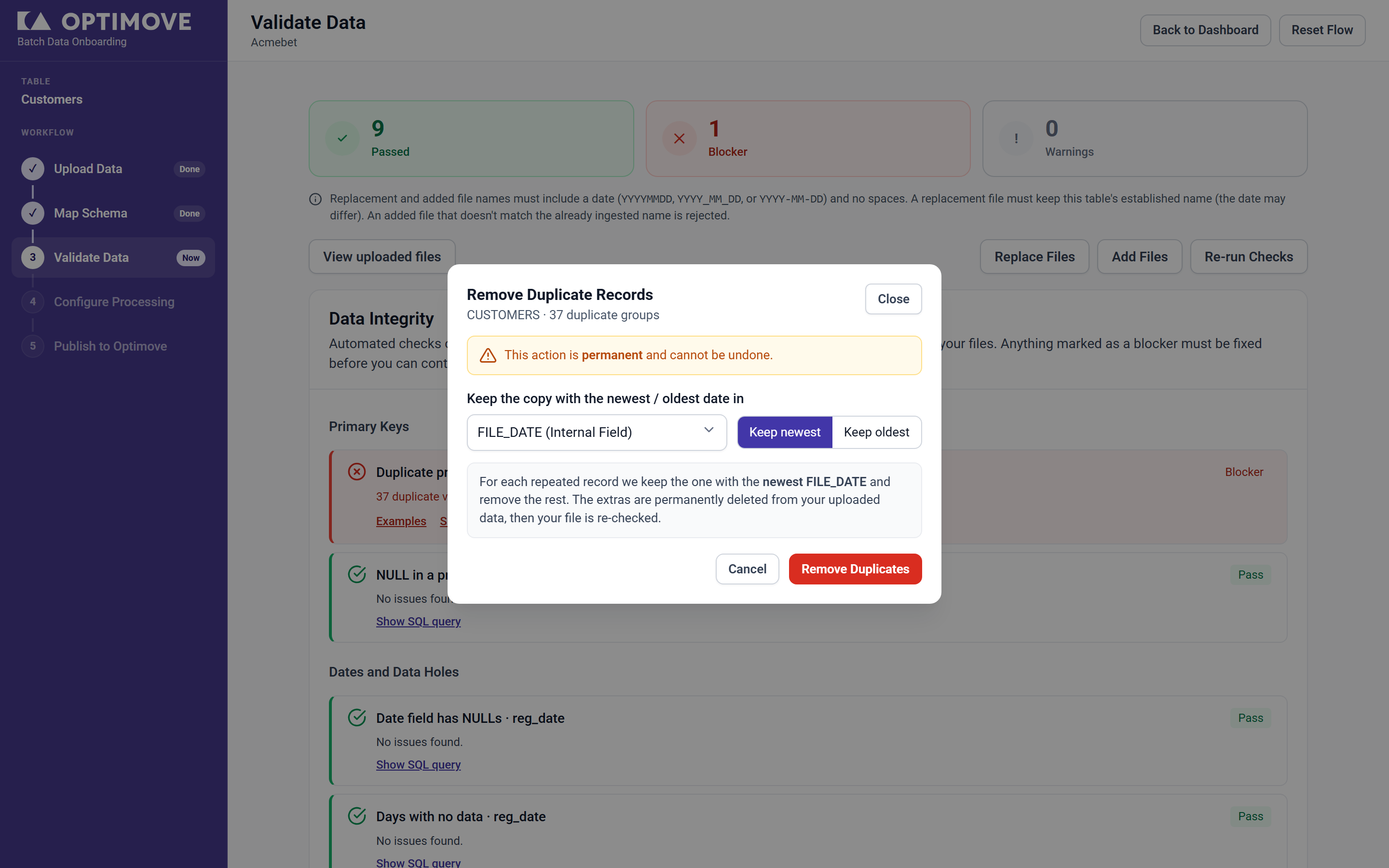
Using self-service onboarding? QA in your Onboarding Hub doesn't just flag issues; it helps you resolve them. Automated checks identify what needs attention, and you can fix common issues directly in the Hub, such as choosing to keep the newest record when duplicates are found. Rerun the checks until your data passes validation.
Use the checklist below to prepare your data. The QA process described further down applies to Optimove-managed onboarding.
How the QA loop works (Optimove-managed)
-
You deliver your data
Start with the Customers table, then the rest of your tables, including historical data.
-
Optimove runs QA
You get a report listing every issue found.
-
You fix and redeliver
The loop repeats until the data is clean.
-
QA finalization
Both sides confirm the data is ready, and Optimove loads your data.
Going through the checklist below before your first delivery cuts down the number of rounds.
QA checklist
Data types
| Language | English is recommended for file, table and column names. |
|---|---|
| Date | yyyy-MM-dd. Don't use default dates like 1900-01-01. Use NULL (blank in files). |
| Datetime | yyyy-MM-dd hh:mm:ss. No UTC suffix. yyyy-MM-ddThh:mm:ssZ isn't valid. |
| Decimals | Use a dot (.). The Optimove UI shows up to 4 decimals, and more are supported behind the scenes when needed for accurate calculations. |
| Currency | Add currency as its own string column (for example, GBP). Don't put the currency symbol in the amount field. |
| Currency conversion | Optimove shows monetary values in one currency. If you have several, tell us which one is the main one and how to convert the others. |
| Status | Provide a definition for any status column that uses numeric IDs. |
| Missing values | Leave them blank or NULL. Don't replace them with a string or default value. |
Alignment between tables
Share documentation or an ERD that explains your data schema.
| Customer ID | All sources must use the same unique customer identifier so Optimove can link them. |
|---|---|
| Primary keys | Specify the primary key for each table. It must be unique for every row and can't be NULL. |
| Foreign keys | Specify the foreign keys for each table, meaning the columns that reference another table's primary key. |
| Customers | Every customer in a transactional table must exist in the Customers table. Only customer IDs in the Customers table are included in Optimove. |
| Registration date | Transactional records can't predate the customer's registration date, and registration date can't be NULL. Only customers with a valid registration date are included. |
Data stability
| Date range | Check that daily trends are stable and look for gaps. If gaps are expected, tell us in advance. |
|---|
Files
| Format | CSV, JSON or PARQUET are preferred. If you can't use those, see the other supported formats. |
|---|---|
| File size | Split large files into smaller batches. See Batch Data Delivery Methods for file size guidance. |
| Compression | GZ. ZIP isn't supported. |
| Headers | Field names must be in the first row, even when the file is empty. |
| Delimiters | Comma (,), semicolon (;) or pipe (|) |
| Double quotes | Wrap fields that contain double quotes in double quotes, and double each embedded quote. John "The Man" becomes "John ""The Man""". |
| Naming | Historical files use the table name from your schema. Daily files use TableName_yyyyMMdd.csv (for example, Customers_20160120.csv). In cloud storage, use [BucketName]/[TableName]/[Date]/[File].[ext], for example MongoDb/Customers/20201202/Customers_20201202.json. |
| JSON | One JSON object per row, with no extra brackets at the start or end of the file. Leave NULL fields empty. Don't write "NULL". |
{"Id":"30515240","SubscriptionId":null}
{"Id":"30515241","SubscriptionId":null,"Amount":"99.00"}
Database
| Last updated date | Daily updates are incremental, so every table must have, and keep up to date, a last updated date column. |
|---|
Other
| Marketing opt-in | Include the marketing opt-in field. It determines whether promotional messages can be sent to a customer. |
|---|
Once your daily updates are live
From then on, Optimove checks every daily delivery for missing files and unexpected data volumes. See Batch Data Update.
Updated about 6 hours ago