
Your Onboarding Hub
Your Onboarding Hub brings together your onboarding tasks, progress, and guidance in one place. It's where you can complete setup activities, track progress, and collaborate with your Optimove team.
Access your Onboarding Hub
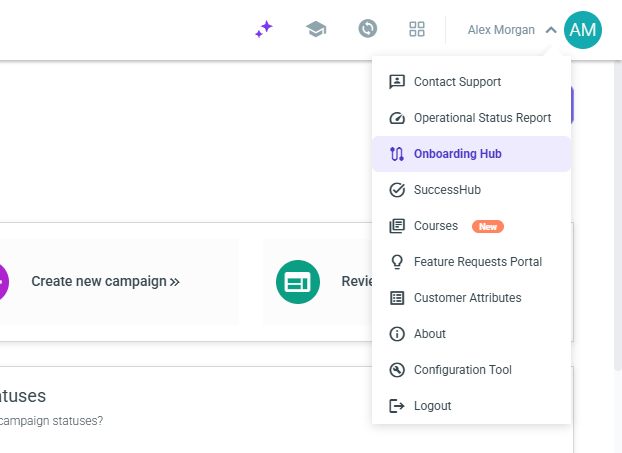
Log in to Optimove, open the Optimove User menu in the top-right corner, and select Onboarding Hub.
Explore your onboarding
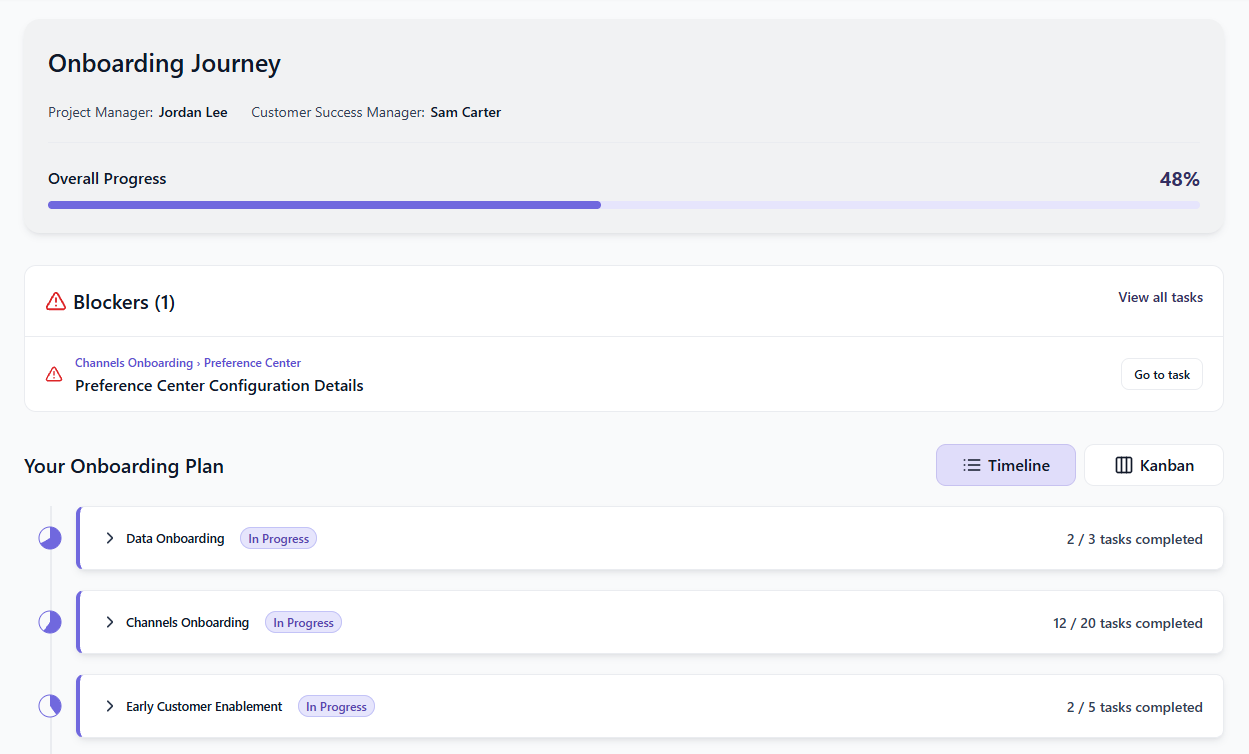
Your onboarding is organized into workstreams covering areas such as data, channels, and integrations. Each workstream contains tasks with clear ownership, guidance, and progress indicators, so you can easily see what's completed, what's in progress, and what's next.
Work through your tasks
- Complete tasks directly in the Hub. Follow the guidance and use the available self-service tools to move your onboarding forward.
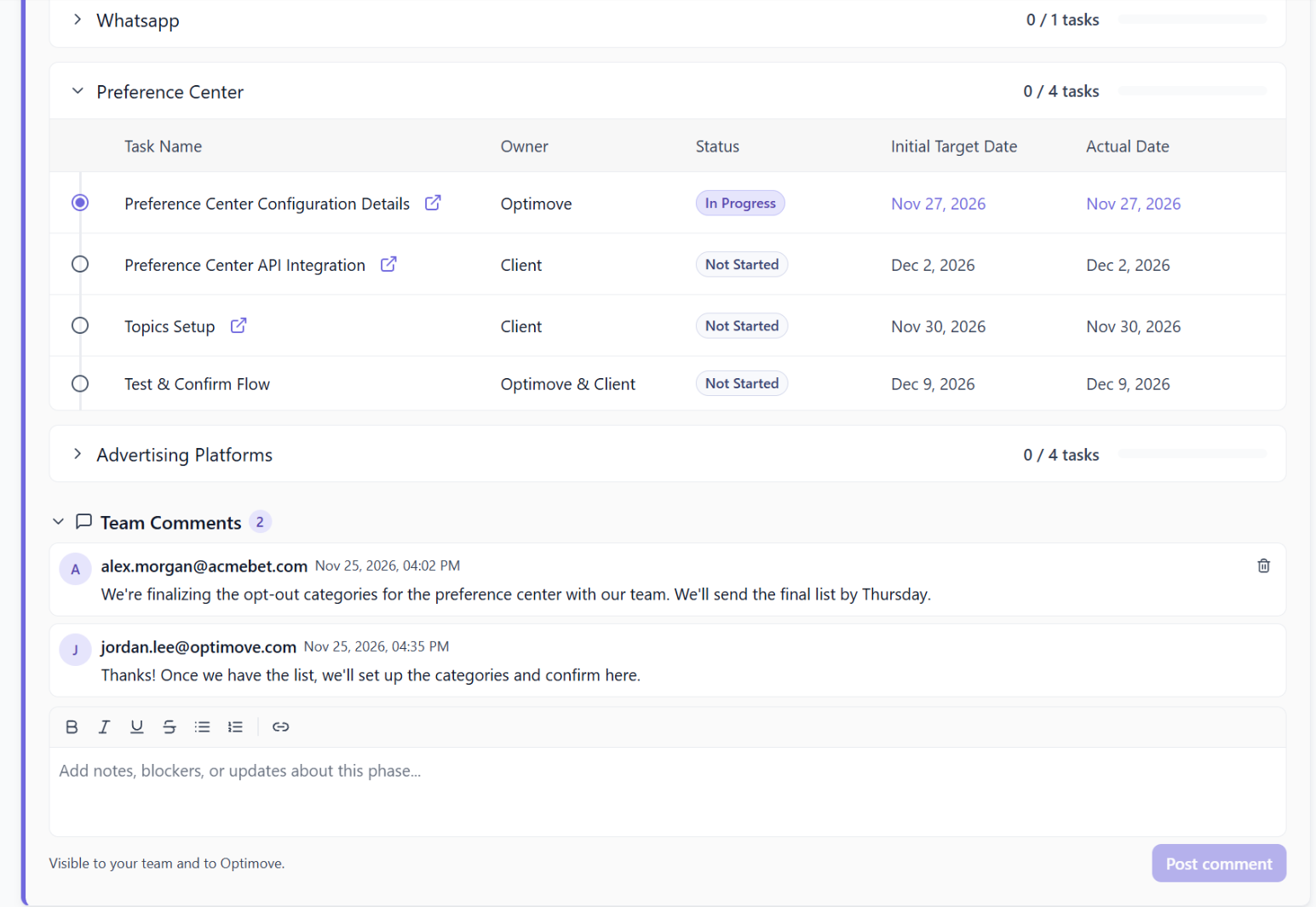
- Track progress automatically. Task statuses are updated as you complete activities in the Hub or as your Optimove team progresses with their work. No manual status updates needed.
- Collaborate with your Optimove team. Leave comments on tasks to ask questions or discuss specific activities, keeping conversations connected to the relevant work.
Updated 1 day ago
Did this page help you?